[Source Code Management Integration] – Understanding the "Repositories with activity are chosen" option
TABLE OF CONTENTS
Introduction
When configuring a source code management integration with platform using the Connect via SaaS option in the Supply Chain Security module, customers often ask what the "By default, repositories with activity are chosen" option means.
This article explains how Aqua determines whether a repository is considered active, the time period taken for this evaluation, and how active status affects automatic repository selection during the integration.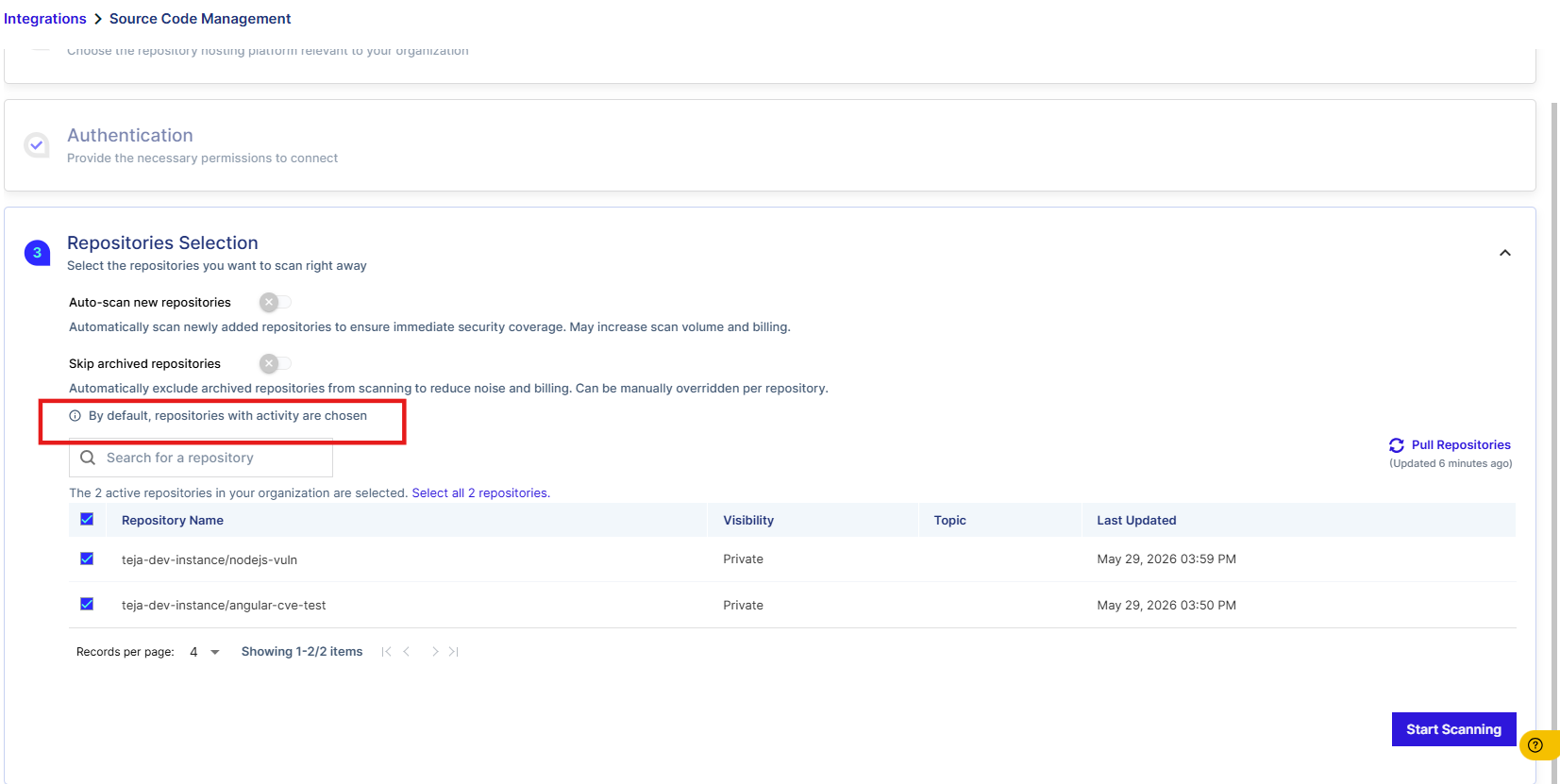
Applicability
This article applies to all currently supported SaaS versions unless otherwise stated.
Description
When integrating any source code management tool using the Connect via SaaS option, Aqua provides the Auto-scan new repositories setting to automatically select repositories eliminating the need for manual selection.
When this setting is enabled, the Scheduler evaluates repository activity and includes only those repositories that meet the activity criteria.
What does "Repositories with Activity" mean?
A repository is considered active if code has been committed to it within the last three months.
The activity check depends specifically on Git commit activity, and excludes other repository events such as:
- Pull requests
- Issues
- Stars
- Forks
- Repository creation date
Only repositories that have received at least one code commit during the previous three months are automatically selected.
Repositories that have not receieved any code commits within the last three months are considered inactive and are not automatically selected during the integration process.
If these inactive repositories need to be scanned, they must be selected manually during the repository selection step.
To scan inactive repositories, select them manually during the repository selection step.
Why is this behavior implemented?
Automatically selecting only recently active repositories helps:
- Reduce the unnecessary onboarding of inactive repositories.
- Optimize repository synchronization and scanning performance.
- Improve the overall onboarding experience by focusing on actively maintained repositories.

Did you find it helpful? Yes No
Send feedback