SCS – Unable to Connect Aqua to GitHub/Gitlab Enterprise Cloud
Issue
Customers may encounter problems when attempting to integrate their GitHub Enterprise Cloud or GitLab Enterprise Cloud instances with Aqua Security (SCS Module).
This usually occurs when their organization restricts inbound traffic by allowing access only from approved (whitelisted) IP address ranges. Because Aqua SCS is not included in their allowlist, the connection attempt to GitHub/GitLab fails.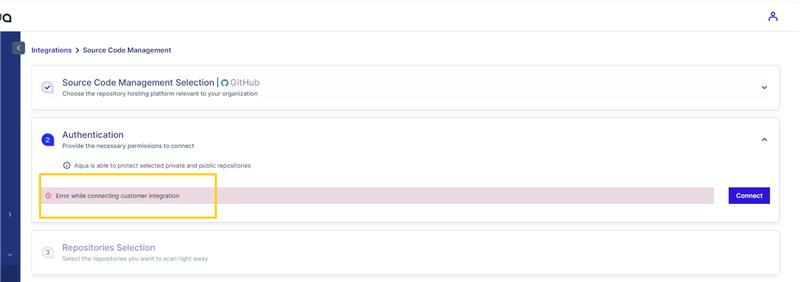
Symptoms
When integrating GitHub Enterprise Cloud with Aqua SCS, customers may observe:
Failed connection attempts during integration setup
Authentication or API access errors
Webhook registration failures
Generic connectivity error messages such as:
"Unable to reach GitHub Enterprise instance"
"Connection blocked by network policies"
"Failed to validate OAuth application"
These symptoms consistently indicate that Aqua’s outbound requests are being restricted by the customer’s IP filtering rules.
Resolution
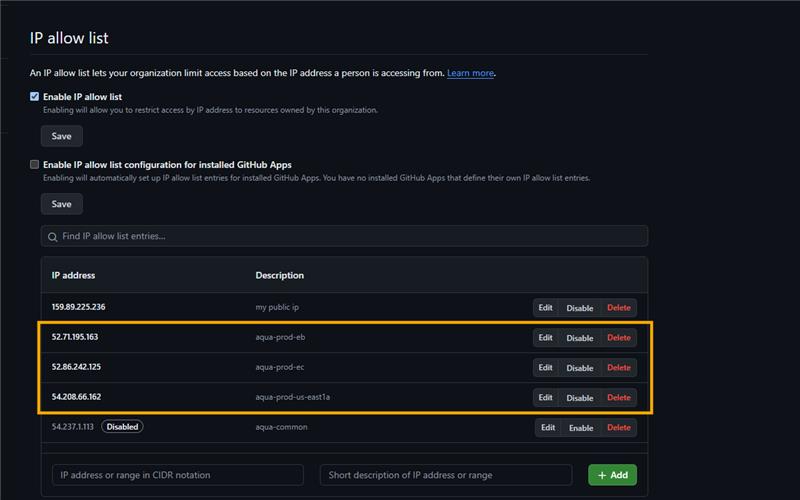
To successfully connect Aqua SCS to GitHub Enterprise Cloud, customers must whitelist the below mentioned Aqua outbound IP addresses. Whitelisting ensures that Aqua SCS can communicate with their GitHub organization without being blocked by network security rules.
Required IP Addresses to Whitelist
Please add the following IP addresses to your organization's allowlist:
EU Region IP Addresses
3.66.2.220
3.74.102.91
3.64.240.153
Asia-1 Region IP Addresses
54.255.53.230
18.143.32.64
18.139.13.209
AP-2 Region IP Addresses
13.210.251.236
52.65.41.121
13.55.14.189
US-East Region IP Addresses
54.208.66.162
52.71.195.163
52.86.242.125
After Whitelisting
Once the IPs have been added:
Return to the Aqua SCS console
Reattempt the GitHub Enterprise Cloud integration
The connection should complete successfully without further errors
If issues persist after whitelisting, verify that:
No additional firewall rules restrict outbound/inbound communication
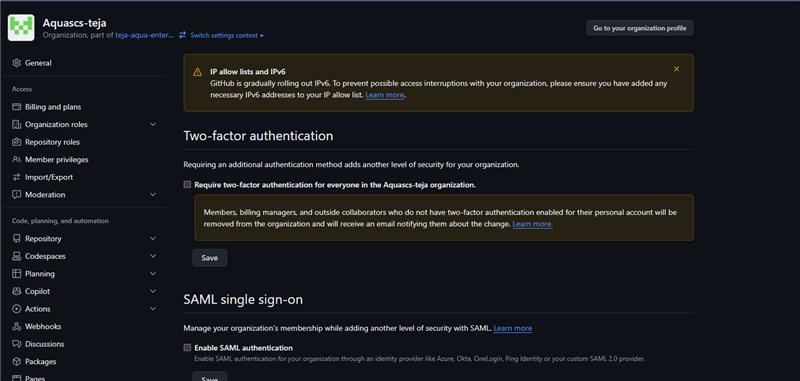
Your GitHub Enterprise Cloud organization enforces IP allowlisting at the org or user level
The IP changes have fully propagated within your environment


Did you find it helpful? Yes No
Send feedback