How to add additional Scan Locations for the Aqua Agentless Scanner in Azure
TABLE OF CONTENTS
Introduction
While initial integration of the Aqua Agentless Scanner in Azure it is possible to limit the scan locations to certain geographic regions only. However it might be desirable to add additional scan locations at a later time. This document describes how to do so.
Applicability
This document is only applicable to implementations of the Aqua Agentless Scanner
- in Azure
- initial onboarding was performed with Powershell
- onboarding was done to an Azure management group (InfrastructureDeployer)
Prerequisites
It is assumed that the initial onboarding of the Aqua Agentless Scanner was successful, the various Azure subscriptions below the Management Group are populated to Aqua Hub and the various items (VMs, Image Registries, Functions, ...) in the specified geographic location are scanned without issue.
Although not required, it might be helpful if the initial deployment command was still available to retrieve the various values for API Key/Secret, AgentlessEventIngesterToken, ConfigurationId, etc.
Steps/Procedure
A) Assuming the initial deployment command is still available,
re-run it with the very same values and add the additional values for AgentlessScanLocations.
(in case custom values for VirtualNetworkNames and NetworkSecurityGroupsNames were used then additional values for these have to be added accordingly as well)
For Example
Initial Deployment (with Scan Location "germanywestcentral" only)
./autoconnect_infra_script.ps1 -AgentlessEventIngesterURL "https://volscan-eu-1.cloud.aquasec.com/v1/ingester/azure/400002" -AgentlessEventIngesterToken "1fa0cf9e509a026ddc61e67bdf8591a51792f63f169b04ce5ebb9cf726af321c" -CSPMAPIURL "https://eu-1.api.cloudsploit.com" -CSPMGroupId "3" -APIKey $Env:APIKey -APISecret $Env:SecretKey -ConfigurationId "ba237e95-6faa-4b87-9a1a-329f10e61106" -AutoConnectURL "https://eu-1-autoconnect-prod.cloud.aquasec.com" -AgentlessResourceGroupLocation "germanywestcentral" -ManagementGroupId "MeineManagementGroup" -InfrastructureDeployer -AgentlessScanLocations @("germanywestcentral")Re-deployment with additional Scan Location
./autoconnect_infra_script.ps1 -AgentlessEventIngesterURL "https://volscan-eu-1.cloud.aquasec.com/v1/ingester/azure/400002" -AgentlessEventIngesterToken "1fa0cf9e509a026ddc61e67bdf8591a51792f63f169b04ce5ebb9cf726af321c" -CSPMAPIURL "https://eu-1.api.cloudsploit.com" -CSPMGroupId "3" -APIKey $Env:APIKey -APISecret $Env:SecretKey -ConfigurationId "ba237e95-6faa-4b87-9a1a-329f10e61106" -AutoConnectURL "https://eu-1-autoconnect-prod.cloud.aquasec.com" -AgentlessResourceGroupLocation "germanywestcentral" -ManagementGroupId "MeineManagementGroup" -InfrastructureDeployer -AgentlessScanLocations @("germanywestcentral","francecentral","italynorth")B) In case the initial deployment command is not available,
directly amend the Environment variables in the aqua-agentless-scanner-continuous-onboarding - Function App accordingly:
SCAN_LOCATIONS ["germanywestcentral","francecentral","italynorth"]
NETWORK_SECURITY_GROUPS_NAME ["aqua-agentless-scanner-germanywestcentral","aqua-agentless-scanner-francecentral","aqua-agentless-scanner-italynorth"]
VIRTUAL_NETWORK_NAME ["aqua-agentless-scanner-germanywestcentral","aqua-agentless-scanner-francecentral","aqua-agentless-scanner-italynorth"]
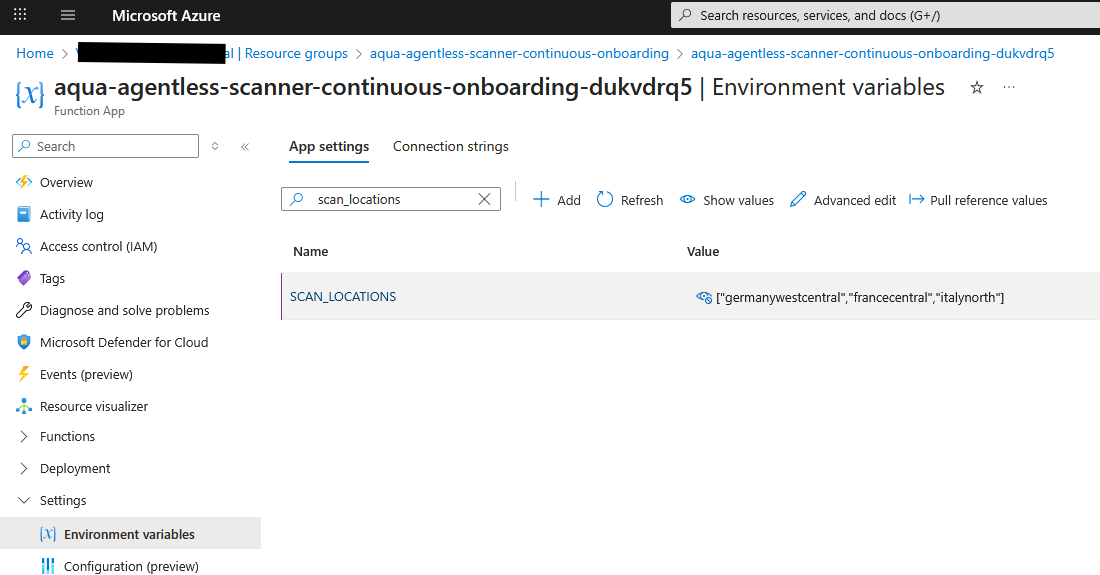
After you have preformed any of the above,
get the list of all subscription IDs which are subordinate to the ManagementGroup
(this bash script in a Cloud Shell might be useful)
MGMT_GROUP=MeineManagementGroup
az account management-group subscription show-sub-under-mg --name $MGMT_GROUP --query "[].name" -o tsv
For each of the subscriptions trigger a redeployment by adding a message to
aqua-agentless-scanner-continuous-onboarding (Resource group)
aquainfradeployerabcdefg (Storage account)
arm-deployer (Queues)
in the format
<SubscrpiptionID>|false
as shown (make sure all is unchecked)

Alternatively, you may also automate the process by using the AZ CLI submitting the message for all subscriptions below the management group, eg
MGMT_GROUP=MeineManagementGroup
STORAGE_ACCOUNT=aquainfradeployerdukvdrq

for i in \
  $(az account management-group subscription show-sub-under-mg --name $MGMT_GROUP --query "[].name" -o tsv) ; do \
    az storage message put --queue-name arm-deployer --content "$i|false" --account-name $STORAGE_ACCOUNT ; \
done
Confirm after waiting for a few minutes for each of the messages there is a succesful invocation
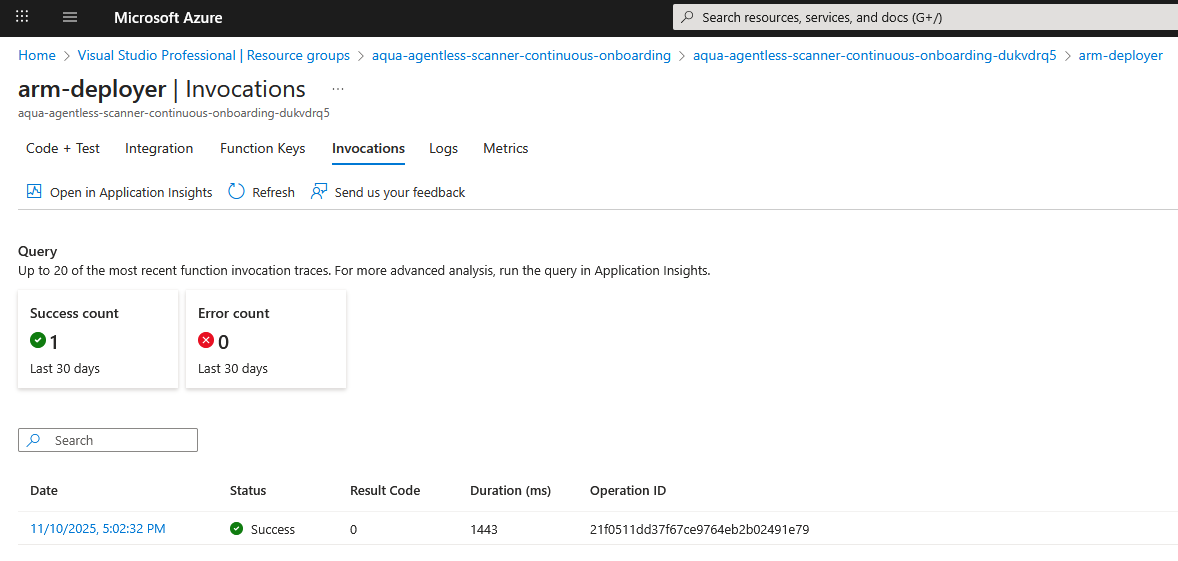
The aqua-agentless-scanner resource now indicates the new infrastructure items necessary for the additional scan locations

In case the scan locations were limited in the initial onboarding in Aqua as well please amend the additional locations here for each of the subscriptions
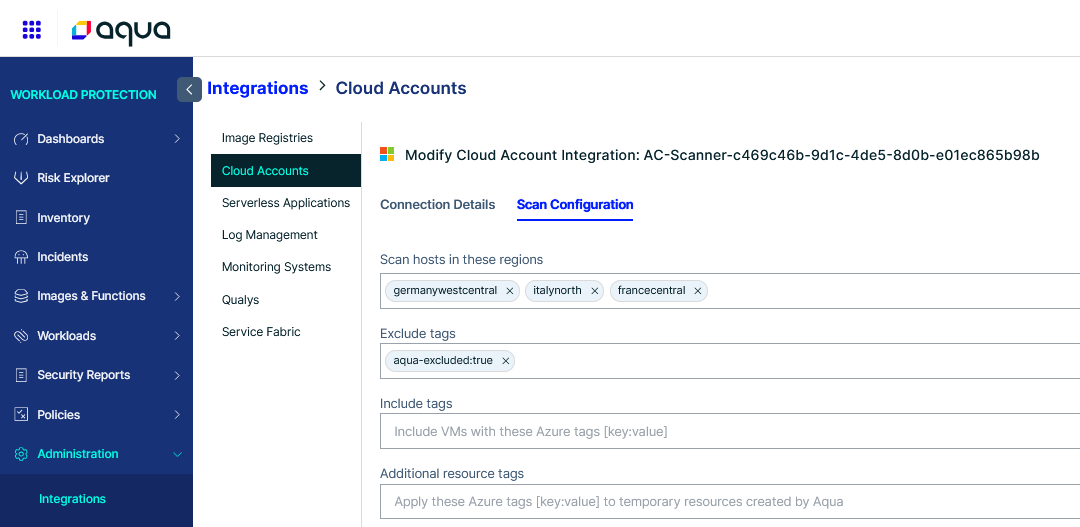
Additional Resources
[1] https://docs.aquasec.com/saas/aqua-hub/connections/integrations/manage-auto-discovery-cloud-accounts/#integrate-auto-discovery-cloud-accounts
[2] https://docs.aquasec.com/saas/getting-started/auto-discovery/azure-auto-discovery/

Did you find it helpful? Yes No
Send feedback